How do I check my earbuds’ battery on a Mac?
For AirPods, macOS shows the battery in Control Center’s Bluetooth menu. For most other earbuds, the Mac gets at most one level for the whole pair. NearPair shows each earbud and the case when the accessory broadcasts them, keeps the level beside the menu-bar icon, and remembers a month of history.
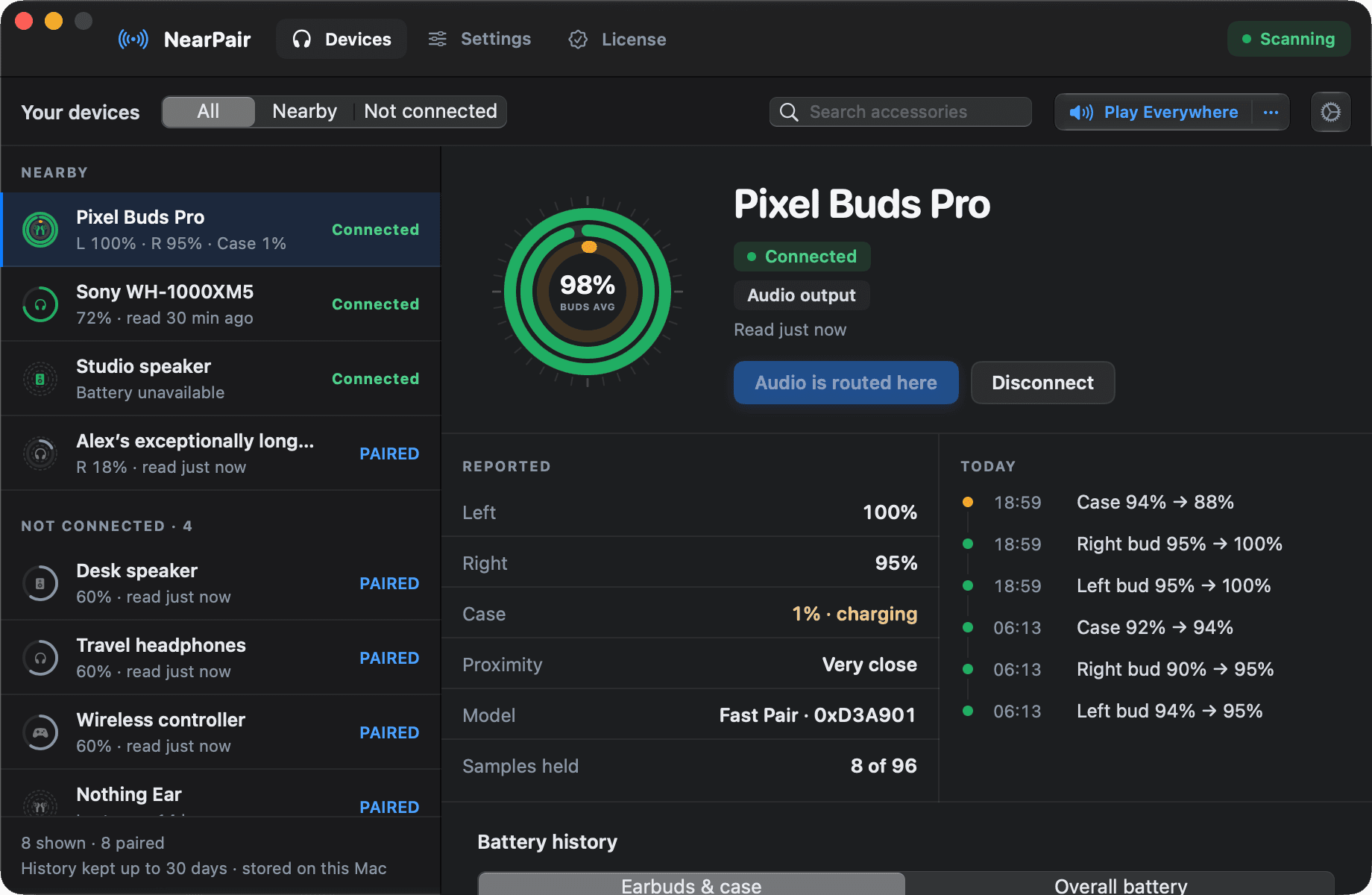
Why other earbuds show one number, or none
A Mac normally learns a non-Apple accessory’s battery through the hands-free Bluetooth profile, which carries a single level. There is no room for left, right and case.
Fast Pair earbuds also broadcast a level for each bud and the case, with whether each is charging. macOS does not read that broadcast. NearPair does.
Check it by hand
- Connect the accessory.
- Open Control Center → Bluetooth, or click the Bluetooth icon in the menu bar.
- Look for a battery level next to the accessory’s name.
Many accessories show no level here at all, and nothing keeps a history.
Or keep it in the menu bar
NearPair shows the battery an accessory actually reports: each bud and the case when it broadcasts them, or the single level macOS holds. When there is no reading, it shows nothing rather than guessing.
The Accessories window charts each level over 30 days and notes when one earbud keeps draining faster than the other. A low-battery notification arrives once per drain, at a level you choose, and follows the earbuds rather than the case.
- Left, right and case, where the accessory shares them
- The level beside the menu-bar icon
- 30 days of history and uneven-drain warnings
macOS 14 or later, Apple silicon. No account, no payment details for the trial.
Questions
Why does NearPair show no battery for my speaker?
Some accessories never report a battery level to a Mac, and plugged-in speakers often have none. NearPair shows a level only when there is a real one.
Does the battery history leave my Mac?
No. Battery readings and history are stored on your Mac and are never uploaded.